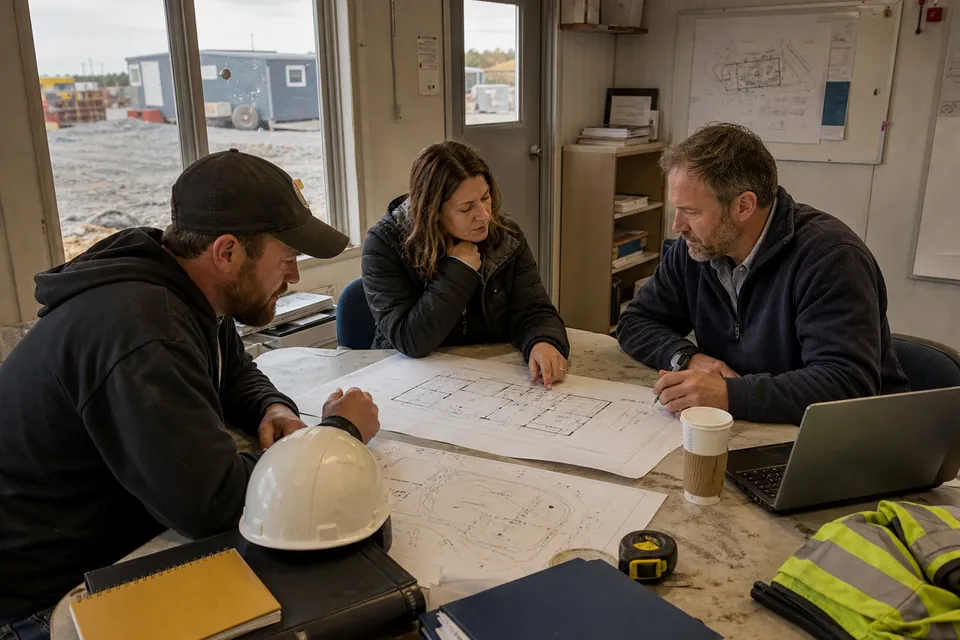
Mobile-office security combines a visible site position, controlled keys, suitable doors and windows, lighting, alarm or camera planning, inventory discipline and a clear response procedure.
Plan the connected decisions: construction office trailers, mobile offices for business, portable classrooms, church & daycare mobile offices. Use the matching mobile office buyer’s guides, then resolve 8×20 office capacity, 10×44 office planning, single-wide versus double-wide and mobile office capacity before comparing complete project quotes.
Mobile Office Placement for Visibility and Site Security
Place the office where authorized staff or site security can observe it without exposing users to vehicle conflicts. Provide lighting at entries and approaches. Avoid hiding the unit behind materials that also give intruders cover.
Mobile Office Locks, Keys and Controlled Physical Access
Document keys, change or rekey locks when appropriate, and define who may duplicate or retain access. Inspect door, window and hardware condition on arrival. Ask before drilling or attaching devices to a rental unit.
Protecting Files, Computers and Equipment in a Mobile Office
Lock plans, records, laptops, tools and payment information when unattended. Use secure networks and screen positioning. Maintain an inventory and remove high-value items during shutdowns when practical.
Mobile Office Alarms, Cameras and Incident Response
Coordinate alarms, cameras or access systems with power and connectivity. Post emergency contacts internally, define who receives alerts and test the process. Technology without an accountable response can create only the appearance of security.
Mobile Office Security by Mobile Office Type and Project Use
Mobile office security cannot be evaluated apart from the people, property and length of need. A construction team, classroom, business office and customer-facing service use the same trailer differently. Test the answer against the actual workday, floor plan, utility needs and delivery address.
Construction Office Trailers
Mobile construction offices for superintendents, project managers, safety teams, meetings, records and daily jobsite coordination. For this use, test clear sightlines toward active work and private meeting and document areas while coordinating reliable power and data service and heating and air conditioning. Those requirements belong in the same decision record as the answer above.
Mobile Offices for Business
Portable business offices for renovations, expansions, branch operations, temporary teams and continuity planning. For this use, test professional arrival and reception and private offices and meeting space while coordinating power, internet and communications and comfortable hvac and lighting. Those requirements belong in the same decision record as the answer above.
Residential Project Mobile Offices
Temporary mobile offices for residential construction, major renovations, property management and owner-representative coordination. For this use, test placement away from household activity and secure records and equipment while coordinating temporary power and internet and climate control and lighting. Those requirements belong in the same decision record as the answer above.
Mobile Salon & Spa Offices
Portable salon, spa, consultation and personal-service space planned around customers, equipment, plumbing, ventilation and local approvals. For this use, test client arrival and waiting and service-station clearances while coordinating hot and cold water needs and electrical loads for equipment. Those requirements belong in the same decision record as the answer above.
Documenting mobile office security in the Mobile Office Quote
Record the decision, the facts supporting it, the person responsible for confirmation and the date when it must be complete. Identify whether the item is verified, assumed, allowed for or unresolved. Connect it to the floor plan, proposal, site-readiness list, delivery date and agreement term so suppliers and buyers are working from the same basis.
When proposals arrive, require every provider to respond to the same documented position on mobile office security. A response should state what is included, what another party must supply, which information can change the answer and how a change affects price or time. If an item cannot yet be fixed, label the allowance and the evidence required to replace it with a firm value. Silence should not be treated as inclusion.
Mobile Office Quote Record for mobile office security
| Record item | How it supports the decision |
|---|---|
| Visible and lighted position | State the current basis, accountable party, required date and effect on building, property, pricing and occupancy. |
| Key and lock control | State the current basis, accountable party, required date and effect on building, property, pricing and occupancy. |
| Asset and document inventory | State the current basis, accountable party, required date and effect on building, property, pricing and occupancy. |
| Approved alarm or camera mounting | State the current basis, accountable party, required date and effect on building, property, pricing and occupancy. |
| Alert and incident response | State the current basis, accountable party, required date and effect on building, property, pricing and occupancy. |
Carry this record into concept review, proposal comparison and the preconstruction handoff. Update it whenever the use, property, equipment, code path or opening target changes. The goal is not more paperwork; it is one traceable answer that the building and site teams can execute without relying on different assumptions.
BUYER CHECKLIST
Mobile Office Supplier Questions About mobile office security
- Visible and lighted position
- Key and lock control
- Asset and document inventory
- Approved alarm or camera mounting
- Alert and incident response